The news that Canva Acquired Affinity has truly shaken up the global design world. Since the announcement in March 2024, the hype has been nonstop. Why? Because Canva, the platform known for making design accessible, just swallowed Adobe’s main rival in the professional creative space: Affinity.
In short: This is a bold move that unites the sheer simplicity of cloud-based design (Canva) with serious, professional desktop power (Affinity). And the most shocking part: Affinity is now officially Free Forever for individuals!
Let’s break down this design revolution!
More Than a Merger: Why This Acquisition Is Causing a Design Uproar
This acquisition is not just another business deal. It’s a heavy shot fired by Canva directly at the professional design throne.
The ‘Anti-Adobe’: A Look Back at Affinity’s One-Time Payment Model
Before joining Canva, Affinity, developed by Serif, had already gathered over 3 million professional users. They were beloved for their powerful suite of apps:
Affinity Designer: A lightning-fast vector alternative to Adobe Illustrator.
Affinity Photo: A professional photo editor and Photoshop rival.
Affinity Publisher: A layout tool, the true InDesign counterpart.
What made Affinity iconic? Its one-time purchase model. Pay once, own it forever. A stark contrast to Adobe’s restrictive monthly subscriptions.
Now, Canva has taken this professional-grade software… and made it free.
The New Structure: Affinity is Free, But There’s a Catch…
Canva has one huge goal: to make professional design accessible to everyone. That’s why they made this unprecedented move.
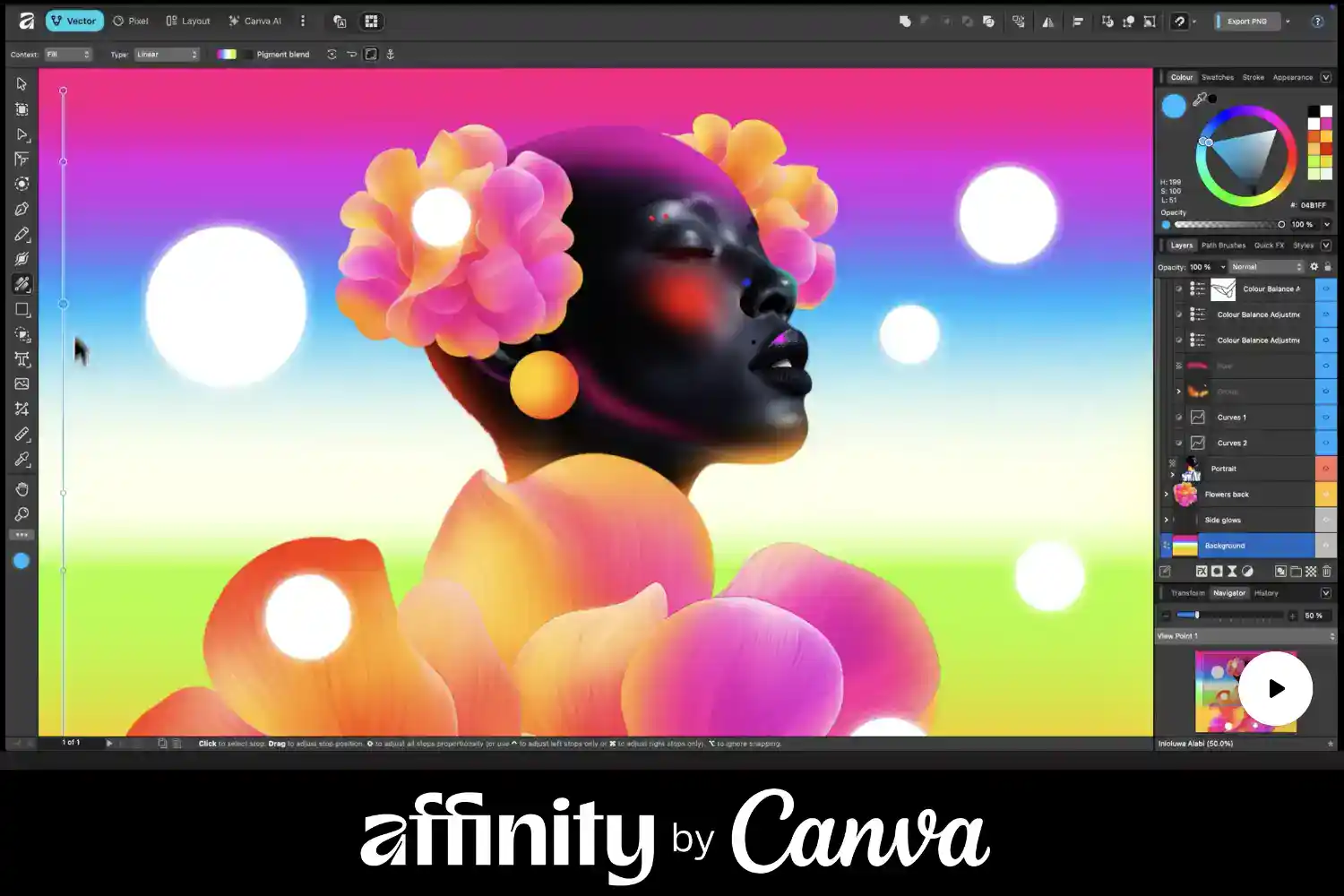
Bye Bye Three Apps, Hello Unified Affinity Studio
The biggest structural change is this: Canva has merged the three standalone apps (Designer, Photo, Publisher) into one unified professional application now being called “All-New Affinity” or “Affinity Studio.”
So, all the power of vector, photo editing, and page layout is now in one place, and you only need to download one piece of software!
The Free Core vs. The Paid AI Features (Canva’s Strategy)
The new model is crystal clear: the professional core is free, but advanced features come at a cost.
✅ Affinity Free Forever
💎 Premium Features (Requires Canva Pro Account)
Full Unified App: All core tools for photo editing, vector design, and page layout in one suite.
Canva AI Studio: Access to Canva’s advanced generative AI tools (like Generative Fill and Magic Expand).
Professional Exports: Full support for PSD, AI, PDF, SVG, EPS, and CMYK/Pantone profiles.
Advanced Collaboration: Real-time collaboration features and team workflows.
No Watermarks: Your work is clean and unrestricted.
Full Brand Kit Integration: Using Canva’s Brand Kitsand Team Assets directly in Affinity projects.
This strategy is clever: they kill the competition by making the tool free, then monetize through Canva Prosubscriptions for high-value AI and team collaboration features.
Why This is a Game-Changer: Pressure on Adobe & Democratizing Pro Tools
1. True Democratization of Professional Tools
For the first time ever, world-class software is truly free and legal. This empowers students, small businesses, and emerging freelancers globally to create high-quality, professional-grade designs without the crippling monthly cost.
2. Serious Pressure on Adobe’s Subscription Model
Canva is now a legitimate contender at every level: from quick social graphics (Canva) to technical illustration and photo manipulation (Affinity). The huge advantage for Canva-Affinity is their flexible workflow, from cloud to desktop, at a much lower (or zero) cost.
3. Data Privacy Assurance
Canva has promised: Your Affinity projects will not be used to train Canva’s AI models. This is a critical point that helps rebuild trust within the pro community, which is highly sensitive to data privacy issues.
Want to Try It Now? How to Get Affinity for Free
Intrigued? You should be! Here is the simple way to get this professional software for free:
Visit the official Canva or Affinity website.
Sign up or Log in to your (Free) Canva Account.
Look for the option to “Download Affinity Studio.”
Install the application on Windows or Mac.
Log in with your Canva account to activate the Free Forever Edition.
You can start creating immediately—no trials, no fees, no core feature restrictions!
Conclusion: Pro Design, Zero Cost. A New Era Has Arrived.
The Canva Acquisition of Affinity is more than just news; it’s a statement. Canva no longer just wants to make design easy; it wants to make it professional and open to everyone.
For designers, this means world-class tools, zero financial barriers. The new, more inclusive era of design has arrived!
What are your thoughts on this acquisition? Will you switch from Adobe to the now-free Affinity? Let us know your comments below!