
- No products in the cart.
Future of Creative Software: From Tools to AI Coworkers

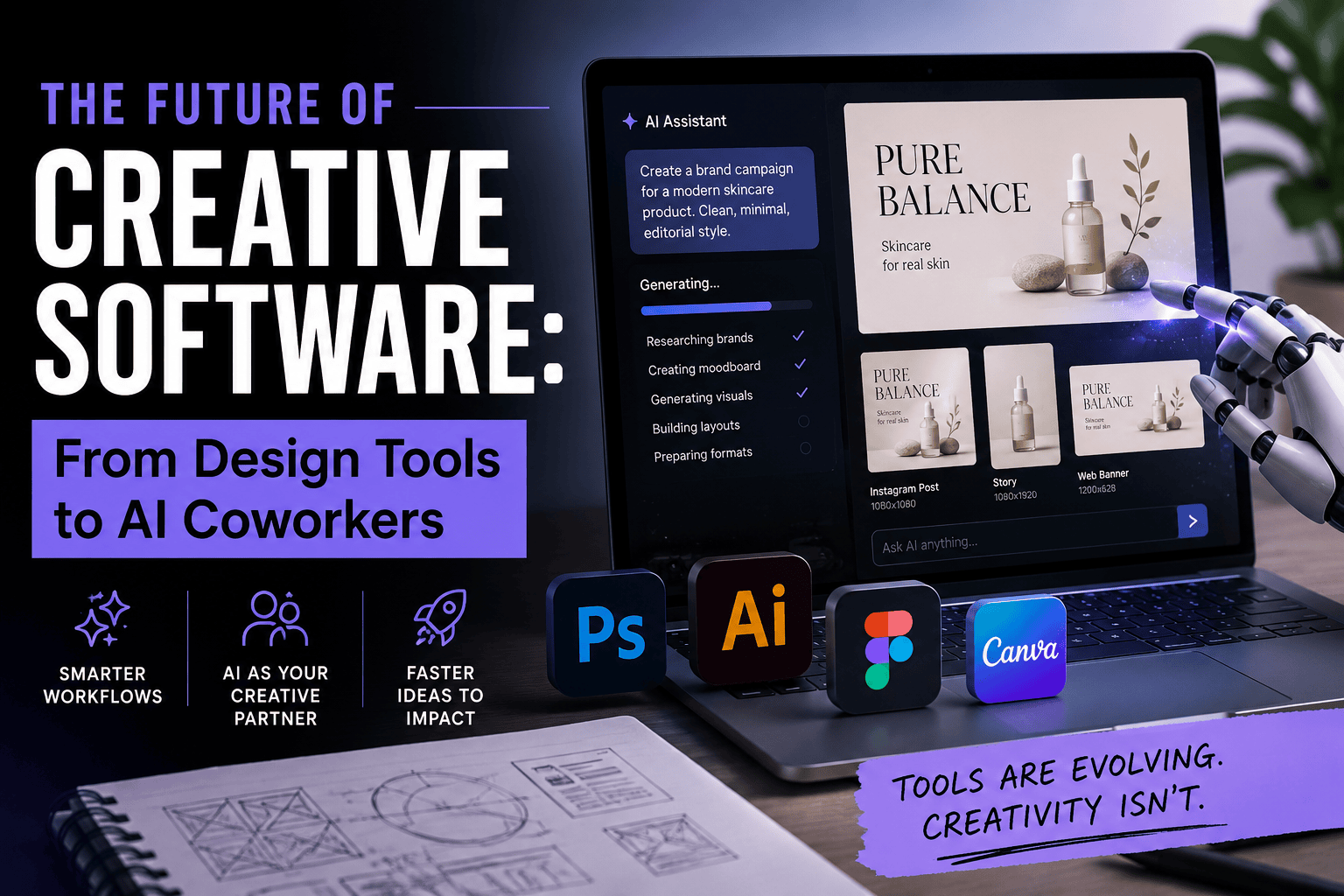
The Future of Creative Software: From Design Tools to AI Coworkers
A few years ago, opening Photoshop meant you probably knew what you wanted to do.
You imported the image, made a selection, cleaned the edges, adjusted the colour, and exported the result. The software could be difficult. Sometimes unnecessarily difficult. But the relationship was clear: you gave the instructions and the software followed them.
That arrangement is disappearing.
Adobe now wants its software to understand the project before you explain every individual step. Figma is moving beyond interface design into code, motion, prototypes, and product development. Canva can turn a short brief into an entire campaign. Coding tools can inspect a project, run tests, find mistakes, and attempt a fix without waiting for the developer to guide every move.
The popular phrase for this is “AI coworker.”
I am not completely convinced by that description.
A real coworker can challenge a weak idea. Most AI tools cannot. They are usually too enthusiastic. Give them a vague brief and they will still return something polished, confident, and quite possibly forgettable.
Still, the change itself is real.
Creative software is no longer waiting quietly inside the toolbar.
- The Future of Creative Software: From Design Tools to AI Coworkers
- From commands to intentions
- The part of creative work nobody posts on Instagram
- Figma is no longer just a design tool
- Creative software needs memory, not just better generation
- More content will not mean better content
- Typography reveals the weakness of automatic design
- The risk of becoming dependent on the machine
- What designers should actually learn
- Creative software is becoming the studio
From commands to intentions
Traditional design software is built around commands.
Select. Mask. Crop. Align. Adjust. Export.
Professional designers learn hundreds of these small actions. Eventually, the interface becomes part of muscle memory. You stop thinking about where the tool is and start thinking about what the composition needs.
New AI-powered software is beginning from a different place. Instead of asking what command you want to perform, it asks what result you want.
A designer might write:
Create a launch campaign for a skincare brand. Keep it calm, editorial, and slightly clinical. Prepare versions for Instagram, web banners, and a short presentation.
The software can then decide which tasks are needed. It might inspect the existing brand assets, generate image directions, organise layouts, suggest copy, resize the designs, and export different formats.
This sounds impressive, but the useful part is not the first image it creates.
The real value appears in the boring work around that image.
Anyone who has prepared a campaign knows the hero visual is only one part of the job. Then come the Instagram sizes, story formats, website banners, presentation slides, thumbnails, product mockups, copy revisions, file naming, and the inevitable request to “make another version, but slightly more premium.”
That is where the future of creative software becomes interesting.
AI is moving away from producing one isolated result and toward managing a chain of connected tasks.
The part of creative work nobody posts on Instagram
Technology companies usually demonstrate AI with dramatic examples.
A blank canvas becomes a polished campaign. A sentence becomes a functioning website. A rough sketch turns into a cinematic video.
The demonstrations are designed to look magical. Real creative work is less elegant.
A designer might spend half an hour searching for the correct logo file because the client sent six versions called “final.” A video editor may lose an afternoon replacing the same title across twenty clips. A type foundry might have a finished font but still need several days to prepare specimens, marketplace images, product descriptions, Pinterest posts, and social media formats.
Most creative businesses do not struggle because they cannot produce a single beautiful image.
They struggle because every good idea creates fifty small production tasks.
This is why Adobe, Figma, Canva, and other platforms are trying to own more of the workflow. They do not only want to help create the image. They want to organise the entire desk.
Adobe’s direction with Firefly is a clear example. The company is connecting generation with editing, video, asset management, and production across its creative applications. The long-term goal seems larger than placing a chatbot inside Photoshop.
Adobe wants the system to understand what you are making and help move the project forward.
That could mean finding supporting footage, cleaning a background, preparing alternate layouts, adjusting files for different channels, or remembering which visual direction has already been approved.
It would be genuinely useful.
It could also become messy very quickly.
Creative work is full of small decisions that are difficult to explain in a prompt. A layout may be technically balanced but still feel too polite. A colour might match the brand guide but destroy the mood. A generated image might be beautiful on its own and completely wrong beside the typography.
The software can help with production.
Someone still needs to notice when the work has become lifeless.
Figma is no longer just a design tool
Figma is an interesting example because its expansion feels almost inevitable.
It started by making interface design more collaborative. Then it moved into whiteboarding, presentations, websites, prototyping, development handoff, and AI-assisted creation. It is now becoming a workspace where ideas can move from a rough diagram to a working product without being rebuilt from the beginning every time.
That sounds convenient because it is convenient.
Designers have spent years moving work between disconnected applications. A concept begins in a notebook, moves to a mood board, becomes a Figma file, gets described again in a project-management tool, and is then interpreted by a developer who may or may not understand the original intention.
Every transfer loses context.
The future of creative software will depend heavily on reducing that loss.
When the design, comments, prototype, code references, motion tests, and brand assets live inside a connected environment, AI can understand more than a single prompt. It can see the history of the project.
That is a meaningful improvement.
But moving quickly from idea to prototype introduces another problem: bad ideas also become prototypes faster.
A product can look convincing before anyone has asked whether it should exist. A beautifully animated interface can hide a confusing experience. A landing page can feel complete while saying almost nothing distinctive.
Speed makes production easier. It does not automatically improve judgment.
How AI tools are changing the design industry
Creative software needs memory, not just better generation
The early generation of AI design tools often suffered from amnesia.
You could spend twenty minutes explaining a brand, generate one promising image, and then watch the next result ignore half of the instructions. The character changed. The packaging changed. The colour drifted. The entire visual language had to be explained again.
That is not how a useful coworker behaves.
A creative system becomes far more valuable when it remembers the project:
- Which logo version is approved
- Which typefaces belong to the brand
- Which visual directions were rejected
- How the product should be described
- What sizes are needed
- Where the final assets will appear
Generation receives most of the attention because it is easy to demonstrate. Memory and project context may be more important.
Imagine a type designer uploading a new font family into a specialised system. The software inspects the available weights, characters, language support, and OpenType features. It then helps organise a specimen, suggests suitable use cases, creates marketplace formats, drafts product descriptions, and adapts the campaign for social media.
The next time the designer opens the project, the system remembers the chosen visual direction. It does not suddenly turn an editorial serif campaign into a neon gaming poster because one prompt was slightly unclear.
That would be closer to a real creative assistant.
For a small studio, this could remove days of repetitive work without touching the part that should remain human: drawing the letters, developing the idea, choosing the cultural references, and deciding how the product should feel.
Premium free fonts for branding and editorial design
More content will not mean better content
There is already too much content online.
AI will not solve that problem.
It will make it cheaper.
A small business can now generate dozens of captions, images, blog posts, banners, and videos in a single day. The production capacity is impressive. The result is often a larger amount of material that nobody remembers.
This is where the discussion around AI usually becomes too simplistic.
People ask whether AI can make a professional-looking design. It can.
The harder question is whether the design has a reason to exist.
When every platform can generate smooth gradients, clean layouts, friendly illustrations, realistic mockups, and polished marketing copy, polish stops being special. It becomes the minimum level of visual noise.
The scarce skill is not producing something.
It is knowing what is worth producing.
That requires taste, but taste is often misunderstood as personal preference. It is more practical than that. Taste develops from years of looking, making, comparing, rejecting, and understanding why one decision works while another feels slightly wrong.
A model can imitate the surface of Swiss modernism, brutalism, psychedelic lettering, Japanese minimalism, or luxury editorial design. It can combine those references in seconds.
It does not necessarily understand when the reference is appropriate, when it has become tired, or when it conflicts with the actual identity of the brand.
This is why the future of creative software may make experienced creative direction more valuable rather than less.
The software can produce more options.
Someone still needs to reject most of them.
Typography reveals the weakness of automatic design
Typography is a useful test for any claim that design can be fully automated.
An AI system can choose a serif font because the brief includes the word “luxury.” It can select a geometric sans for a technology company. It can create a clean hierarchy and fit everything into a grid.
The result may be technically correct.
It may also feel completely generic.
Typography carries signals that are hard to reduce to categories. A serif can feel literary, institutional, seductive, nostalgic, strange, or cheap depending on its proportions and context. A rounded sans can feel friendly in one identity and childish in another.
Even spacing is not purely mathematical.
Sometimes a perfectly even wordmark feels dead. A slightly uncomfortable gap can create rhythm. A wide letter may need to be optically pulled closer even when the measurement says otherwise.
This is why original type design becomes more important in an environment filled with generated visuals.
When images, mockups, and layouts become easy to reproduce, distinctive letterforms can give a brand something less interchangeable. A font can carry personality across packaging, websites, social media, and physical spaces without needing to shout.
AI can help test that font across different environments.
It should not be trusted to make the final decision alone.
Why typography matters in brand identity
The risk of becoming dependent on the machine
The phrase “AI coworker” sounds friendly, but there are reasons to be cautious.
The first is sameness.
Millions of people are using the same models, templates, presets, and prompt structures. Even when the results are attractive, they often share a familiar visual grammar. Rounded cards. Soft gradients. Cinematic lighting. Editorial serif headlines. Friendly, vague copy.
Nothing is obviously wrong.
That is the problem.
The second risk is losing practical skill. Repetitive work can be tedious, but it also trains the eye. Manually adjusting letterspacing teaches rhythm. Cleaning image edges develops attention. Editing video frame by frame teaches timing.
A creator who skips every difficult stage may become faster without becoming better.
There is also the issue of ownership and control.
If an AI system can access files, publish content, use paid APIs, or modify a website, it needs clear limits. A useful assistant should not be able to overwrite the original design, publish an unfinished campaign, or spend the entire monthly credit budget because it misunderstood one instruction.
Creative teams will need visible histories, approval stages, permission controls, and reliable backups.
The more active the software becomes, the more important human responsibility becomes.
What designers should actually learn
Designers do not need to become AI engineers.
They do need to understand workflows more deeply.
A strong prompt is useful, but prompting alone is not a durable professional advantage. Prompts are easy to copy. A clear process, an original body of work, a recognisable point of view, or a specialised product system is much harder to replace.
Creative professionals should become better at writing briefs, organising assets, documenting decisions, reviewing automated output, and connecting different parts of a project.
They should also become more comfortable disagreeing with the software.
AI tools tend to produce confident answers. Designers need to recognise when confidence is hiding mediocrity.
Guide to choosing the right font for your brand
Creative software is becoming the studio
The future of creative software is not simply a better image generator.
It is a system that remembers the project, understands the goal, selects the right tools, performs several connected tasks, and leaves the creator with fewer repetitive decisions.
For independent designers and small studios, that could be transformative.
A team of two or three people may soon be able to manage work that previously required a much larger production department. A type designer can build a specialised application. A branding studio can create its own internal campaign system. An illustrator can turn a repeatable workflow into a product.
But faster production will not automatically create more meaningful work.
The internet will become fuller, smoother, and more professionally presented. It will also become more predictable.
Access to AI will not be the advantage. Everyone will have access.
The advantage will belong to people who know when the result is generic, when the brief is weak, when the typography has no character, and when the machine’s first answer should be deleted rather than published.
Creative software is becoming more active.
Creative people will have to become more intentional.
Recent Posts




FREE PREMIUM FONTS
Clear Filters